


Tag: Tutorials
You are browsing all the posts tagged with Tutorials.
You are browsing all the posts tagged with Tutorials.

In this post I will guide you through all the steps on how to install a hybrid Counter-Strike 1.6 server on a Linux powered server (ubuntu server in my case). A hybrid Counter-Strike 1.6 server is a Counter-Strike 1.6 game server that allows Steam clients (legit Steam accounts) and non Steam clients (non Steam game […]

GShutdown is a tool for Ubuntu which performs and schedules system shutdown, logout and restart. To install it open up a terminal and run the following command: sudo apt-get install gshutdown After installation you can find GShutdown under Applications -> Accessories. And here it is: As you can see it’s really simple to use. Just […]
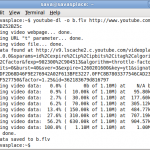
This is the easiest way to download youtube videos to your personal computer if you’re using Ubuntu. All you have to do is to install YouTube-Dl. It downloads YouTube videos from the command line and works on Linux, and Mac OS. To install YouTube-Dl open a terminal and run the following command: sudo apt-get install […]
If you’re an Ubuntu user and you have your own blog then you might find this really interesting and useful. Everybody likes posting images to their blog, right ? But what if you have a bunch of photos and you need to rename (for search engines) and resize (to fit your blog layout) them ? […]

Everybody likes Google Chrome, right ? Well, now you can have Chromium on Ubuntu as well. But first, let’s clarify something: Chromium is an open source browser project. Google Chrome is a browser from Google, based on the Chromium project. Right now Google’s browser is only available on Windows. I know I installed Windows on […]
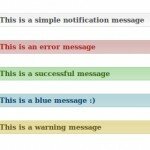
We all know that CakePHP has the Session component that allows us to login and logout users and to show them messages that appear only once: Session->setFlash(‘Random message that appears only once’); ?> We can style this message the way we want but what about having these kind of messages that are style differently […]
We all know that developing a website in CakePHP is very easy and also fast. Here’s how to create a multilingual website fast. First open app/config/bootstrap.php and set the languages you want available for your website: Configure::write(‘Config.languages’, array( ‘ro’ => array( ‘language’ => ‘Romanian’, ‘locale’ => ‘rum’, ‘localeFallback’ => ‘rum’, ‘charset’ => ‘utf-8’ ), ‘en’ […]

You might have noticed that when you insert a software CD or a game cd the cd drive icon shows the game or software logo as icon. Ever wanted to do something like that? Well, here’s a short and easy tutorial to do so: First of all find an icon. I suggest [ Icon Finder […]

Here an interesting trick to set multiple homepages in Firefox. Suppose you want to set Sava’s Place, PantherKut and BabyDoll as your homepages then all you have to do is: Go to Tools -> Options -> Main In the When Firefox Starts drop down menu choose Show my home page In Home Page give your […]
There comes a time in life when you need to use multiple databases for a website you have to build 🙂 . I came across this “problem” when I was working on a portal website and I had to make sure that users can login with the same details on any website that company owned. […]
Maximize winnings with exclusive casino bonuses.