<?xml version="1.0" encoding="UTF-8"?>
<rss version="2.0"
	xmlns:content="http://purl.org/rss/1.0/modules/content/"
	xmlns:wfw="http://wellformedweb.org/CommentAPI/"
	xmlns:dc="http://purl.org/dc/elements/1.1/"
	xmlns:atom="http://www.w3.org/2005/Atom"
	xmlns:sy="http://purl.org/rss/1.0/modules/syndication/"
	xmlns:slash="http://purl.org/rss/1.0/modules/slash/"
	>

<channel>
	<title>Sava&#039;s Place &#187; Programming</title>
	<atom:link href="http://savasplace.com/category/programming/feed/" rel="self" type="application/rss+xml" />
	<link>http://savasplace.com</link>
	<description>Free PHP scripts, CSS templates, Making Money Online and Miscellaneous Ramblings</description>
	<lastBuildDate>Tue, 16 Apr 2013 09:04:59 +0000</lastBuildDate>
	<language>en-US</language>
	<sy:updatePeriod>hourly</sy:updatePeriod>
	<sy:updateFrequency>1</sy:updateFrequency>
	<generator>http://wordpress.org/?v=3.5.1</generator>
		<item>
		<title>A Great Way To Show Off Your Sponsors Or Friends On Your Website</title>
		<link>http://savasplace.com/2011/02/a-great-way-to-show-off-your-sponsors-or-friends-on-your-website/</link>
		<comments>http://savasplace.com/2011/02/a-great-way-to-show-off-your-sponsors-or-friends-on-your-website/#comments</comments>
		<pubDate>Fri, 11 Feb 2011 08:21:19 +0000</pubDate>
		<dc:creator>Sava</dc:creator>
				<category><![CDATA[HTML]]></category>
		<category><![CDATA[Internet]]></category>
		<category><![CDATA[PHP]]></category>
		<category><![CDATA[Programming]]></category>
		<category><![CDATA[jquery]]></category>
		<category><![CDATA[sponsor flip wall]]></category>

		<guid isPermaLink="false">http://savasplace.com/?p=6089</guid>
		<description><![CDATA[Everybody has a link list, a blog roll, a links page etc. on their website. Here&#8217;s a great way to show off your friends, sponsors or websites you like with the jQuery Sponsor Flip Wall. No &#8230; it&#8217;s not a table. It&#8217;s a jQuery animated wall. It does it like this: What&#8217;s great is that [...]]]></description>
				<content:encoded><![CDATA[<p>Everybody has a link list, a blog roll, a links page etc. on their website. Here&#8217;s a great way to show off your friends, sponsors or websites you like with the <a href="http://tutorialzine.com/2010/03/sponsor-wall-flip-jquery-css/" target="_blank" rel="nofollow">jQuery Sponsor Flip Wall</a>.</p>
<div id="attachment_6090" class="wp-caption aligncenter" style="width: 560px"><a href="http://savasplace.com/wp-content/uploads/2011/03/sponsor-flip-wall-1.png" target="_blank"><img src="http://savasplace.com/wp-content/uploads/2011/03/sponsor-flip-wall-1-550x408.png" alt="jQuery Sponsor Flip Wall" title="jQuery Sponsor Flip Wall" width="550" height="408" class="size-medium wp-image-6090" /></a><p class="wp-caption-text">jQuery Sponsor Flip Wall</p></div>
<p>No &#8230; it&#8217;s not a table. It&#8217;s a jQuery animated wall. It does it like this:</p>
<div id="attachment_6092" class="wp-caption aligncenter" style="width: 560px"><a href="http://savasplace.com/wp-content/uploads/2011/03/sponsor-flip-wall-2.png"><img src="http://savasplace.com/wp-content/uploads/2011/03/sponsor-flip-wall-2-550x230.png" alt="jQuery Sponsor Flip Wall" title="jQuery Sponsor Flip Wall" width="550" height="230" class="size-medium wp-image-6092" /></a><p class="wp-caption-text">jQuery Sponsor Flip Wall - Animation</p></div>
<p>What&#8217;s great is that you can easily modify your sponsors/friends because it takes the data from a simple array:</p>
<p><code><br />
$sponsors = array(<br />
array('facebook','The biggest social..','http://www.facebook.com/'),<br />
array('adobe','The leading software de..','http://www.adobe.com/'),<br />
array('microsoft','One of the top software c..','http://www.microsoft.com/'),<br />
array('sony','A global multibillion electronics..','http://www.sony.com/'),<br />
array('dell','One of the biggest computer develo..','http://www.dell.com/'),<br />
array('ebay','The biggest online auction and..','http://www.ebay.com/'),<br />
array('digg','One of the most popular web 2.0..','http://www.digg.com/'),<br />
array('google','The company that redefined w..','http://www.google.com/'),<br />
array('ea','The biggest computer game manufacturer.','http://www.ea.com/'),<br />
array('mysql','The most popular open source dat..','http://www.mysql.com/'),<br />
array('hp','One of the biggest computer manufacturers.','http://www.hp.com/'),<br />
array('yahoo','The most popular network of so..','http://www.yahoo.com/'),<br />
array('cisco','The biggest networking and co..','http://www.cisco.com/'),<br />
array('vimeo','A popular video-centric social n..','http://www.vimeo.com/'),<br />
array('canon','Imaging and optical technology ma..','http://www.canon.com/')<br />
);<br />
shuffle($sponsors);<br />
</code></p>
<p>You can read the whole tutorial, view a demo or download it on <a href="http://tutorialzine.com/2010/03/sponsor-wall-flip-jquery-css/" target="_blank" rel="nofollow">TutorialZine</a></p>
]]></content:encoded>
			<wfw:commentRss>http://savasplace.com/2011/02/a-great-way-to-show-off-your-sponsors-or-friends-on-your-website/feed/</wfw:commentRss>
		<slash:comments>0</slash:comments>
		</item>
		<item>
		<title>Multiple CSS Style Session Flash&#8217;es in CakePHP</title>
		<link>http://savasplace.com/2009/08/multiple-css-style-session-flashes-in-cakephp/</link>
		<comments>http://savasplace.com/2009/08/multiple-css-style-session-flashes-in-cakephp/#comments</comments>
		<pubDate>Thu, 27 Aug 2009 08:34:08 +0000</pubDate>
		<dc:creator>Sava</dc:creator>
				<category><![CDATA[CakePHP]]></category>
		<category><![CDATA[Programming]]></category>
		<category><![CDATA[Tutorials]]></category>
		<category><![CDATA[session]]></category>
		<category><![CDATA[session flash]]></category>

		<guid isPermaLink="false">http://savasplace.com/?p=3904</guid>
		<description><![CDATA[We all know that CakePHP has the Session component that allows us to login and logout users and to show them messages that appear only once: &#60;?php $this->Session->setFlash('Random message that appears only once'); ?&#62; We can style this message the way we want but what about having these kind of messages that are style differently [...]]]></description>
				<content:encoded><![CDATA[<p><img src="http://savasplace.com/wp-content/uploads/2009/05/cakephp-150x150.png" alt="CakePHP" title="CakePHP" class="alignleft" />We all know that CakePHP has the Session component that allows us to login and logout users and to show them messages that appear only once:</p>
<p><code>&lt;?php $this->Session->setFlash('Random message that appears only once'); ?&gt;</code></p>
<p>We can style this message the way we want but what about having these kind of messages that are style differently depending on what kind of messages we show (error, success, warning or general messages ).</p>
<p>The easy way to do it is to create our own helper.  So let&#8217;s go to <strong>app/views/helpers</strong> folder and create the helper.  Create a new file and rename it to <strong>flash.php</strong> and put the following code in it:</p>
<p><code><br />
&lt;?php<br />
class FlashHelper extends Helper {</p>
<p>	var $helpers = array('Session');</p>
<p>	function show() {<br />
		$messages = $this-&gt;Session-&gt;read('messages');<br />
		$html = '&lt;ul class="system_messages"&gt;';<br />
		if($messages) {<br />
		foreach ($messages as $type =&gt; $msgs) {<br />
			foreach ($msgs as $msg) {<br />
				if (!empty($msg)) {<br />
					$html .= "&lt;li class='$type'&gt;&lt;span class='ico'&gt;&lt;/span&gt;&lt;strong class='system_title'&gt;$msg&lt;/strong&gt;&lt;/li&gt;";<br />
				}<br />
			}<br />
		}<br />
		$html .= "&lt;/ul&gt;";<br />
		$this-&gt;Session-&gt;del('messages');<br />
		return $this-&gt;output( $html );<br />
		}<br />
	}<br />
}<br />
?&gt;<br />
</code></p>
<p>As you can see the show() function read the messages stored in the session. Each read message is written back inside a <strong>&lt;li&gt;</strong> tag that has a different class <strong>$type</strong>.</p>
<p>Now go ahead and edit your <strong>app_controller.php</strong> file located in the <strong>app</strong> folder.<br />
If you already have the helpers array written in it then add the <strong>Flash</strong> helper to the array. If not then put this code in the file:</p>
<p><code><br />
var $helpers = array('Flash');<br />
</code></p>
<p>Now add the function below to the <strong>app_controller.php</strong> as well:</p>
<p><code><br />
	function flash( $message, $class = 'status' ) {<br />
		$old = $this->Session->read('messages');<br />
		$old[$class][] = $message;<br />
		$this->Session->write('messages', $old );<br />
	}<br />
</code></p>
<p>Create different css styles for the types of message you want to display (error, success, warning or general messages).</p>
<p>Now to add a flash message you have to use the <strong>flash helper</strong> instead of the session flash component.<br />
So &#8230; instead of:</p>
<p><code><br />
$this->Session->setFlash('A cool message that is a warning!');<br />
</code></p>
<p>you will use :</p>
<p><code><br />
$this->flash('A cool message that is a warning!', 'warning');<br />
</code></p>
<h3>My Example</h3>
<p>I created the following CSS styles: white, red, green, blue, yellow.</p>
<p>Now all I have to do is this:</p>
<p><code><br />
		$this->flash('This is a simple notification message', 'white');<br />
		$this->flash('This is an error message', 'red');<br />
		$this->flash('This is a successful message', 'green');<br />
		$this->flash('This is a blue message <img src='http://savasplace.com/wp-includes/images/smilies/icon_smile.gif' alt=':)' class='wp-smiley' />  ', 'blue');<br />
		$this->flash('This is a warning message', 'yellow');<br />
</code></p>
<p>inside a function and here&#8217;s the result:</p>
<p><img src="http://savasplace.com/wp-content/uploads/2009/08/cakephp-example-of-different-css-styled-session-flash-messages.jpg" alt="CakePHP example of different css styled session flash messages" title="CakePHP example of different css styled session flash messages" width="400" height="280" class="alignnone size-full wp-image-3909" /></p>
<p>Hope you find this useful.</p>
]]></content:encoded>
			<wfw:commentRss>http://savasplace.com/2009/08/multiple-css-style-session-flashes-in-cakephp/feed/</wfw:commentRss>
		<slash:comments>4</slash:comments>
		</item>
		<item>
		<title>Multilingual Website with CakePHP</title>
		<link>http://savasplace.com/2009/08/multilingual-website-with-cakephp/</link>
		<comments>http://savasplace.com/2009/08/multilingual-website-with-cakephp/#comments</comments>
		<pubDate>Wed, 12 Aug 2009 07:53:40 +0000</pubDate>
		<dc:creator>Sava</dc:creator>
				<category><![CDATA[CakePHP]]></category>
		<category><![CDATA[PHP]]></category>
		<category><![CDATA[Programming]]></category>
		<category><![CDATA[Tutorials]]></category>
		<category><![CDATA[multi language website with cakephp]]></category>
		<category><![CDATA[Multilingual]]></category>

		<guid isPermaLink="false">http://savasplace.com/?p=2606</guid>
		<description><![CDATA[We all know that developing a website in CakePHP is very easy and also fast. Here&#8217;s how to create a multilingual website fast. First open app/config/bootstrap.php and set the languages you want available for your website: Configure::write('Config.languages', array( 'ro' => array( 'language' => 'Romanian', 'locale' => 'rum', 'localeFallback' => 'rum', 'charset' => 'utf-8' ), 'en' [...]]]></description>
				<content:encoded><![CDATA[<p>We all know that developing a website in CakePHP is very easy and also fast. Here&#8217;s how to create a multilingual website fast.</p>
<p>First open <strong>app/config/bootstrap.php</strong> and set the languages you want available for your website:</p>
<p><code><br />
Configure::write('Config.languages', array(<br />
	  	'ro' => array(<br />
		    'language' => 'Romanian',<br />
		    'locale' => 'rum',<br />
		    'localeFallback' => 'rum',<br />
		    'charset' => 'utf-8'<br />
		),<br />
		'en' => array(<br />
		    'language' => 'English',<br />
		    'locale' => 'eng',<br />
		    'localeFallback' => 'eng',<br />
		    'charset' => 'utf-8'<br />
		),<br />
	)<br />
);<br />
</code></p>
<p>I chose english and romanian for this example.</p>
<p>Now open your app controller (<strong>app/app_controller.php</strong> &#8211; create one if you don&#8217;t have it) and put this function in it:</p>
<p><code><br />
	function setLanguage() {<br />
		if(!isset($this->params['lang'])) $this->params['lang'] = 'ro';<br />
		$lang = $this->params['lang'];<br />
		App::import('Core', 'i18n');<br />
		$I18n =&#038; I18n::getInstance();<br />
		$I18n->l10n->get($lang);<br />
		foreach (Configure::read('Config.languages') as $lang => $locale) {<br />
			if($lang == $this->params['lang'])<br />
				$this->params['locale'] = $locale['locale'];<br />
		}<br />
	}<br />
</code></p>
<p>All you have to modify in this function is the first line (that sets the default language). Change the default language to your chosen one. </p>
<p>It&#8217;s now time to create a route depending on the language. Open <strong>app/config/routes.php</strong> and add this route to it:</p>
<p><code><br />
Router::connect('/:lang/:controller/:action/*', array('lang' => 'ro'), array('lang' => 'ro|en'));<br />
</code></p>
<p>Of course that this can change depending on the languages you are using and their number. You&#8217;re a smart boy so you&#8217;ll figure it out.</p>
<p>Now all you have left is to create the language files. Go to <strong>app/locale</strong> and create 2 folders: <strong>rum</strong> and <strong>en</strong>. In each of these folders create another folder called <strong>LC_MESSAGES</strong>. In the LC_MESSAGES folders you will now store the language files. Language files can be divided so it&#8217;s easier for you to store the translations ( <strong>.po</strong> files ).</p>
<p>For example, you can create a <strong>login.po</strong>, <strong>register.po</strong>, <strong>account.po</strong> and <strong>default.po</strong>.</p>
<p>In the language files you have to set the message id and message string.</p>
<p><em><strong>English</strong></em><br />
<code><br />
msgid "hello"<br />
msgstr "Hello"<br />
</code></p>
<p><em><strong>Romanian</strong></em><br />
<code><br />
msgid "hello"<br />
msgstr "Buna ziua"<br />
</code></p>
<p>And now to echo these strings on your website you have to remember the string id and the name of the language file (.po) it is stored in. Example:</p>
<p><code><br />
&lt;?<br />
__d('default', 'hello', true);<br />
?&gt;<br />
</code></p>
<p>This will take the string with the id &#8220;hello&#8221; from the <strong>default.po</strong> file and echo it. And true means that it will echo the string.<br />
Good luck</p>
]]></content:encoded>
			<wfw:commentRss>http://savasplace.com/2009/08/multilingual-website-with-cakephp/feed/</wfw:commentRss>
		<slash:comments>13</slash:comments>
		</item>
		<item>
		<title>Multiple Databases in CakePHP</title>
		<link>http://savasplace.com/2009/05/multiple-databases-in-cakephp/</link>
		<comments>http://savasplace.com/2009/05/multiple-databases-in-cakephp/#comments</comments>
		<pubDate>Mon, 04 May 2009 16:59:39 +0000</pubDate>
		<dc:creator>Sava</dc:creator>
				<category><![CDATA[CakePHP]]></category>
		<category><![CDATA[Programming]]></category>
		<category><![CDATA[Tutorials]]></category>
		<category><![CDATA[multiple databases]]></category>
		<category><![CDATA[PHP]]></category>

		<guid isPermaLink="false">http://savasplace.com/?p=2543</guid>
		<description><![CDATA[There comes a time in life when you need to use multiple databases for a website you have to build . I came across this &#8220;problem&#8221; when I was working on a portal website and I had to make sure that users can login with the same details on any website that company owned. So [...]]]></description>
				<content:encoded><![CDATA[<p><img src="http://savasplace.com/wp-content/uploads/2009/05/cakephp.png" alt="CakePHP" title="CakePHP" width="180" height="180" class="alignleft" />There comes a time in life when you need to use multiple databases for a website you have to build <img src='http://savasplace.com/wp-includes/images/smilies/icon_smile.gif' alt=':)' class='wp-smiley' />  .<br />
I came across this &#8220;problem&#8221; when I was working on a portal website and I had to make sure that users can login with the same details on any website that company owned.</p>
<p>So I had to create a common database in which to store the users. Since all the websites were built in CakePHP I had to find a way to make it connect to other databases besides the default one.</p>
<p>If you are familiar with CakePHP you know that the database details are kept in <strong>app/config/database.php</strong>. </p>
<p>The default database array is:</p>
<p><code><br />
	var $default = array(<br />
		'driver' => 'mysql',<br />
		'persistent' => false,<br />
		'host' => 'localhost',<br />
		'login' => 'mysqlusername',<br />
		'password' => 'mysqlpassword',<br />
		'database' => 'mysqldatabase',<br />
		'prefix' => ''<br />
	);<br />
</code></p>
<p>Since you&#8217;re here now add another database array:</p>
<p><code><br />
	var $database2 = array(<br />
		'driver' => 'mysql',<br />
		'persistent' => false,<br />
		'host' => 'localhost',<br />
		'login' => 'mysqlusername2',<br />
		'password' => 'mysqlpassword2',<br />
		'database' => 'mysqldatabase2',<br />
		'prefix' => ''<br />
	);<br />
</code></p>
<p>Now open up a model you are using. Let&#8217;s say we are using the model <strong>User</strong> ( <em>located in app/models/user.php</em> ). Open the file and add this function to it:</p>
<p><code><br />
	function changeDataSource($newSource) {<br />
		parent::setDataSource($newSource);<br />
		parent::__construct();<br />
	}<br />
</code></p>
<p>Now in the <strong>Users controller</strong> ( <em>located in app/controllers/users_controller.php</em> ) add this function:</p>
<p><code><br />
	function changeDbSource($database = 'default') {<br />
		$db = ConnectionManager::getInstance();<br />
		$connected = $db->getDataSource($database);<br />
		if($connected->isConnected()) {<br />
			return true;<br />
		} else {<br />
			return false;<br />
		}<br />
	}<br />
</code></p>
<p>Here&#8217;s an example on how to switch between the databases:</p>
<p><code><br />
function loginUser() {<br />
// The search is made in the default database<br />
$this->User->find('all', array('conditions' => array('User.username' => $username)));</p>
<p>// Let's do something in the second database <strong>database2</strong></p>
<p>$this->User->changeDataSource('database2');<br />
if($this->changeDbSource('database2')) {<br />
     // Do something in database 2<br />
}<br />
}<br />
</code></p>
<p>It&#8217;s really easy once you get the hang of it.</p>
]]></content:encoded>
			<wfw:commentRss>http://savasplace.com/2009/05/multiple-databases-in-cakephp/feed/</wfw:commentRss>
		<slash:comments>9</slash:comments>
		</item>
		<item>
		<title>The Faces Behind Popular Programming Languages</title>
		<link>http://savasplace.com/2009/04/the-faces-behind-popular-programming-languages/</link>
		<comments>http://savasplace.com/2009/04/the-faces-behind-popular-programming-languages/#comments</comments>
		<pubDate>Mon, 27 Apr 2009 07:03:30 +0000</pubDate>
		<dc:creator>Sava</dc:creator>
				<category><![CDATA[Programming]]></category>
		<category><![CDATA[Ramblings]]></category>
		<category><![CDATA[interesting]]></category>

		<guid isPermaLink="false">http://savasplace.com/?p=2368</guid>
		<description><![CDATA[C Dennis MacAlistair Ritchie (born September 9, 1941) is an American computer scientist notable for his influence on C and other programming languages, and on operating systems such as Multics and Unix. He received the Turing Award in 1983 and the National Medal of Technology in 1998. Ritchie was the head of Lucent Technologies System [...]]]></description>
				<content:encoded><![CDATA[<h3>C</h3>
<p><img src="http://savasplace.com/wp-content/uploads/2009/04/dennis-ritchie.jpeg" alt="Dennis MacAlistair Ritchie" title="Dennis MacAlistair Ritchie" /></p>
<p><strong>Dennis MacAlistair Ritchie</strong> (born September 9, 1941) is an American computer scientist notable for his influence on C and other programming languages, and on operating systems such as Multics and Unix. He received the Turing Award in 1983 and the National Medal of Technology in 1998. Ritchie was the head of Lucent Technologies System Software Research Department when he retired in 2007.</p>
<h3>PHP</h3>
<p><img src="http://savasplace.com/wp-content/uploads/2009/04/rasmus-lerdorf.jpg" alt="Rasmus Lerdorf" title="Rasmus Lerdorf" /></p>
<p><strong>Rasmus Lerdorf</strong> (born on November 22<sup>nd</sup>, 1968 in Qeqertarsuaq, Greenland) is a Danish-Greenlandic programmer and is most notable as the creator of the PHP programming language. He authored the first two versions.</p>
<h3>Java</h3>
<p><img src="http://savasplace.com/wp-content/uploads/2009/04/james-gosling.jpg" alt="James Gosling" title="James Gosling" /></p>
<p><strong>James Gosling</strong> &#8211; In 1977, James Gosling received a B.Sc in Computer Science from the University of Calgary. In 1983, he earned a Ph.D in Computer Science from Carnegie Mellon University, and his doctoral thesis was titled &#8220;The Algebraic Manipulation of Constraints&#8221;. While working towards his doctorate, he wrote a version of emacs (gosmacs), and before joining Sun Microsystems he built a multi-processor version of Unix while at Carnegie Mellon University, as well as several compilers and mail systems.</p>
<p>Since 1984, Gosling has been with Sun Microsystems, and is generally known best as the father of the Java programming language.</p>
<h3>Javascript</h3>
<p><img src="http://savasplace.com/wp-content/uploads/2009/04/brendan-beich.jpg" alt="Brendan Beich" title="Brendan Beich" /></p>
<p><strong>Brendan Eich</strong> (born 1961) is a computer programmer and creator of the JavaScript programming language. He is the Chief Technology Officer at the Mozilla Corporation.</p>
<h3>Perl</h3>
<p><img src="http://savasplace.com/wp-content/uploads/2009/04/larry-wall.jpg" alt="Larry Wall" title="Larry Wall" /></p>
<p><strong>Larry Wall</strong> (born September 27, 1954) is a programmer and author, most widely known for his creation of the Perl programming language in 1987.</p>
<h3>Ruby</h3>
<p><img src="http://savasplace.com/wp-content/uploads/2009/04/yukihiro-matsumoto.jpg" alt="Yukihiro Matsumoto" title="Yukihiro Matsumoto" /></p>
<p><strong>Yukihiro Matsumoto</strong> (Matsumoto Yukihiro, a.k.a. Matz, born 14 April 1965) is a Japanese computer scientist and software programmer best known as the chief designer of the Ruby programming language and its reference implementation, Matz’s Ruby Interpreter (MRI). He was born in Osaka Prefecture, in western Honshū. According to an interview conducted by Japan Inc., he was a self-taught programmer until the end of high school. He graduated with an information science degree from Tsukuba University, where he associated himself with research departments dealing with programming languages and compilers.</p>
<h3>Ruby on Rails (Not a Programming Language | Added As Bonus)</h3>
<p><img src="http://savasplace.com/wp-content/uploads/2009/04/david-heinemeier-hansson.jpg" alt="David Heinemeier Hansson" title="David Heinemeier Hansson" /></p>
<p><strong>David Heinemeier Hansson </strong>is a Danish programmer and the creator of the popular Ruby on Rails web development framework and the Instiki wiki. He is also a partner at the web-based software development firm 37signals.</p>
<h3>Python</h3>
<p><img src="http://savasplace.com/wp-content/uploads/2009/04/guido-van-rossum.jpg" alt="Guido van Rossum" title="Guido van Rossum" /></p>
<p><strong>Guido van Rossum</strong> is a Dutch computer programmer who is best known as the author of the Python programming language. In the Python community, Van Rossum is known as a “Benevolent Dictator for Life” (BDFL), meaning that he continues to oversee the Python development process, making decisions where necessary. He is currently employed by Google, where he spends half his time working on Python development.</p>
<h3>Pascal</h3>
<p><img src="http://savasplace.com/wp-content/uploads/2009/04/niklaus-wirth.jpg" alt="Niklaus E. Wirth" title="Niklaus E. Wirth" /></p>
<p><strong>Niklaus Emil Wirth</strong> (born February 15, 1934) is a Swiss computer scientist, best known for designing several programming languages, including Pascal, and for pioneering several classic topics in software engineering. In 1984 he won the Turing Award for developing a sequence of innovative computer languages.</p>
<p>[ Thank you cb791585 for the additions. Added to the post ]</p>
]]></content:encoded>
			<wfw:commentRss>http://savasplace.com/2009/04/the-faces-behind-popular-programming-languages/feed/</wfw:commentRss>
		<slash:comments>9</slash:comments>
		</item>
		<item>
		<title>New in CSS 3</title>
		<link>http://savasplace.com/2009/04/new-in-css-3/</link>
		<comments>http://savasplace.com/2009/04/new-in-css-3/#comments</comments>
		<pubDate>Tue, 07 Apr 2009 06:50:52 +0000</pubDate>
		<dc:creator>Sava</dc:creator>
				<category><![CDATA[Programming]]></category>
		<category><![CDATA[Ramblings]]></category>
		<category><![CDATA[css]]></category>
		<category><![CDATA[css3]]></category>

		<guid isPermaLink="false">http://savasplace.com/?p=1592</guid>
		<description><![CDATA[Just in case you wondered what&#8217;s coming with CSS 3 here are 3 of the most interesting features. Border-Radius Before After CSS Code: -moz-border-radius: 10px; -webkit-border-radius: 10px; Works in Firefox 3 and Safari 3 Opacity Before After CSS Code: opacity: 0.6; Outline Offset Before After CSS Code: outline: 2px solid orange; outline-offset: 4px; At the [...]]]></description>
				<content:encoded><![CDATA[<p><img src="http://savasplace.com/wp-content/uploads/2009/04/css.png" alt="CSS" title="CSS" /></p>
<p>Just in case you wondered what&#8217;s coming with CSS 3 here are 3 of the most interesting features.</p>
<h3>Border-Radius</h3>
<div style="border: 1px solid #000000; margin: 5px; width: 150px; height: 150px; background-color: silver; float: left; text-align:center;">
<br/><br />
Before
</div>
<div style="border: 1px solid #000000; margin: 5px; width: 150px; height: 150px; background-color: silver; float: left; -moz-border-radius-topleft: 10px; -moz-border-radius-topright: 10px; -moz-border-radius-bottomright: 10px; -moz-border-radius-bottomleft: 10px; text-align:center;">
<br/><br />
After
</div>
<div style="clear:both;"></div>
<p><strong>CSS Code: </strong>-moz-border-radius: 10px; -webkit-border-radius: 10px;</p>
<p>Works in Firefox 3 and Safari 3</p>
<h3>Opacity</h3>
<div style="border: 1px solid #000000; margin: 5px; width: 150px; height: 150px; background-color: silver; float: left; text-align:center;">
<br/><br />
Before
</div>
<div style="border: 1px solid #000000; margin: 5px; width: 150px; height: 150px; background-color: silver; float: left; opacity:0.6; text-align:center;">
<br/><br />
After
</div>
<div style="clear:both;"></div>
<p><strong>CSS Code:</strong> opacity: 0.6;</p>
<h3>Outline Offset</h3>
<div style="border: 1px solid #000000; margin: 5px; width: 150px; height: 150px; background-color: silver; float: left; text-align:center;">
<br/><br />
Before
</div>
<div style="border: 1px solid #000000; margin: 5px; width: 150px; height: 150px; background-color: silver; float: left; outline-color: orange; outline-style: solid; outline-width: 2px; outline-offset: 4px; text-align:center;">
<br/><br />
After
</div>
<div style="clear:both;"></div>
<p><strong>CSS Code:</strong> outline: 2px solid orange; outline-offset: 4px;</p>
<p>At the moment these work in Firefox 3, Safari 3 and Opera. As usual, the good stuff doesn&#8217;t work in Internet  Explorer.</p>
]]></content:encoded>
			<wfw:commentRss>http://savasplace.com/2009/04/new-in-css-3/feed/</wfw:commentRss>
		<slash:comments>1</slash:comments>
		</item>
		<item>
		<title>3 HTML Tags You Probably Never Used</title>
		<link>http://savasplace.com/2009/03/3-html-tags-you-probably-never-used/</link>
		<comments>http://savasplace.com/2009/03/3-html-tags-you-probably-never-used/#comments</comments>
		<pubDate>Sun, 08 Mar 2009 23:00:55 +0000</pubDate>
		<dc:creator>Sava</dc:creator>
				<category><![CDATA[HTML]]></category>
		<category><![CDATA[abbr]]></category>
		<category><![CDATA[bdo]]></category>
		<category><![CDATA[Programming]]></category>
		<category><![CDATA[q]]></category>
		<category><![CDATA[tags]]></category>
		<category><![CDATA[tips]]></category>

		<guid isPermaLink="false"></guid>
		<description><![CDATA[&#60;abbr&#62; or &#60;acronym&#62; The &#60;abbr&#62; and &#60;acronym&#62; tag describes abbreviations and acronyms. By marking up abbreviations you can give useful information to your visitors by showing tooltips when they hover the mouse over the element. Example: HTML &#60;q&#62; The &#60;q&#62; tag defines a short quotation. It tells the browser to insert quotation marks around the [...]]]></description>
				<content:encoded><![CDATA[<h3>&lt;abbr&gt; or &lt;acronym&gt;</h3>
<p>The &lt;abbr&gt; and &lt;acronym&gt; tag describes abbreviations and acronyms. By marking up abbreviations you can give useful information to your visitors by showing tooltips when they hover the mouse over the element.</p>
<p><em><strong>Example:</strong></em></p>
<p><abbr title="HyperText Markup Language">HTML</abbr></p>
<h3>&lt;q&gt;</h3>
<p>The &lt;q&gt; tag defines a short quotation. It tells the browser to insert quotation marks around the marked element. Most of us use the &amp;quot; entity to display a quote but it&#8217;s easier with q</p>
<p><em><strong>Example:</strong></em></p>
<p><q>This is an example quote</q></p>
<h3></h3>
<h3>&lt;bdo&gt;</h3>
<p>The &lt;bdo&gt; stands bidirectional override that allows you to specify the text direction and override the bidirectional algorithm. Use it with the value <em>rtl</em> (right to left) and you will get the entire text reversed in direction.</p>
<p><em><strong>Example:</strong></em></p>
<p><bdo dir="rtl">Can you read this ?</bdo></p>
<p>The bdo tag can be easily be used to show your email address on webpages and not worry about spam <img src='http://savasplace.com/wp-includes/images/smilies/icon_wink.gif' alt=';)' class='wp-smiley' /> .</p>
]]></content:encoded>
			<wfw:commentRss>http://savasplace.com/2009/03/3-html-tags-you-probably-never-used/feed/</wfw:commentRss>
		<slash:comments>1</slash:comments>
		</item>
		<item>
		<title>Sava&#8217;s Single File Upload Script</title>
		<link>http://savasplace.com/2009/01/savas-single-file-upload-script/</link>
		<comments>http://savasplace.com/2009/01/savas-single-file-upload-script/#comments</comments>
		<pubDate>Thu, 01 Jan 2009 10:10:04 +0000</pubDate>
		<dc:creator>Sava</dc:creator>
				<category><![CDATA[PHP]]></category>
		<category><![CDATA[Programming]]></category>
		<category><![CDATA[Scripts]]></category>
		<category><![CDATA[free]]></category>
		<category><![CDATA[free php script]]></category>
		<category><![CDATA[free php scripts]]></category>
		<category><![CDATA[free upload script]]></category>
		<category><![CDATA[single file upload script]]></category>

		<guid isPermaLink="false">http://savasplace.com/?p=1248</guid>
		<description><![CDATA[Single file upload script. All the variables can be easily changed to suit your needs: &#8211; maximum file size that can be uploaded &#8211; allowed file extensions of files that are uploaded Easy to integrate into any design as it is very easy to remove it&#8217;s css and use your own. You can also view [...]]]></description>
				<content:encoded><![CDATA[<p>Single file upload script. All the variables can be easily changed to suit your needs: &#8211; maximum file size that can be uploaded &#8211; allowed file extensions of files that are uploaded Easy to integrate into any design as it is very easy to remove it&#8217;s css and use your own. You can also view a list of the uploaded files. Single click file delete</p>
<h3>Update</h3>
<p>I rewrote the code  so that the notices  Commander Killbot  asked me about no longer appear. </p>
<p>No Demo | <a href="http://savasplace.com/?file_id=7">Download</a> <small>(2.35KB)</small> ( 20123 downloads )
</p>
]]></content:encoded>
			<wfw:commentRss>http://savasplace.com/2009/01/savas-single-file-upload-script/feed/</wfw:commentRss>
		<slash:comments>13</slash:comments>
		</item>
		<item>
		<title>Sava&#8217;s GuestBook v2.0</title>
		<link>http://savasplace.com/2009/01/savas-guestbook-v20/</link>
		<comments>http://savasplace.com/2009/01/savas-guestbook-v20/#comments</comments>
		<pubDate>Thu, 01 Jan 2009 10:06:13 +0000</pubDate>
		<dc:creator>Sava</dc:creator>
				<category><![CDATA[PHP]]></category>
		<category><![CDATA[Programming]]></category>
		<category><![CDATA[Scripts]]></category>
		<category><![CDATA[free]]></category>
		<category><![CDATA[free php guestbook]]></category>
		<category><![CDATA[free php script]]></category>
		<category><![CDATA[free php scripts]]></category>
		<category><![CDATA[guestbook]]></category>

		<guid isPermaLink="false">http://savasplace.com/?p=1245</guid>
		<description><![CDATA[Features New simple layout will easy on the eye colors The entries submitted will stay pending untill the admin approves them. Image captcha Pagination system &#8211; the GuestBook will display the entries in pages so that your page will load faster and be smaller. You can edit the number of entries displayed per page in [...]]]></description>
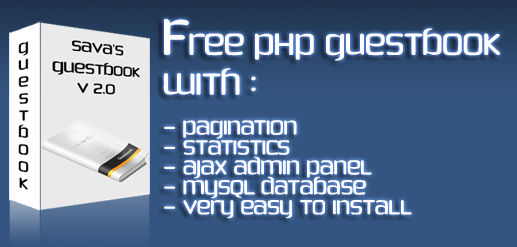
				<content:encoded><![CDATA[<h3>Features</h3>
<p>New simple layout will easy on the eye colors<br />
The entries submitted will stay pending untill the admin approves them.<br />
Image captcha<br />
Pagination system &#8211; the GuestBook will display the entries in pages so that your page will load faster and be smaller. You can edit the number of entries displayed per page in includes/db.php<br />
Statistics : your guestbook will show:<br />
- The number of approved entries<br />
- The number of pending entries<br />
- The number of males<br />
- The number of females<br />
- Guestbooks start date.</p>
<p>Administration panel:<br />
 &#8211; features an ajax feature &#8211; Edit In Place with jQuery. &#8211; with it you can easily edit the entries without refreshing the page. &#8211; to edit any field just click on the text. &#8211; For example: if you want to edit the posters name just click on the name, make corrections and click on save. &#8211; after you edited all the pending entries on the page just go to Approve all entries and modify &#8220;No&#8221; with &#8220;Yes&#8221;. All the pending entries on the page will be approved.</p>
<p><a href="http://demos.savasplace.com/guestbookv2/" target="_blank">Demo</a> | <a href="http://savasplace.com/?file_id=3">Download</a> <small>(31.20KB)</small> ( 3421 downloads )
</p>
]]></content:encoded>
			<wfw:commentRss>http://savasplace.com/2009/01/savas-guestbook-v20/feed/</wfw:commentRss>
		<slash:comments>0</slash:comments>
		</item>
		<item>
		<title>Sava&#8217;s ReviewMe Offer Notifier</title>
		<link>http://savasplace.com/2009/01/savas-reviewme-offer-notifier/</link>
		<comments>http://savasplace.com/2009/01/savas-reviewme-offer-notifier/#comments</comments>
		<pubDate>Thu, 01 Jan 2009 10:01:44 +0000</pubDate>
		<dc:creator>Sava</dc:creator>
				<category><![CDATA[PHP]]></category>
		<category><![CDATA[Programming]]></category>
		<category><![CDATA[Scripts]]></category>
		<category><![CDATA[free php scripts]]></category>
		<category><![CDATA[free script]]></category>
		<category><![CDATA[free scripts]]></category>
		<category><![CDATA[offers]]></category>
		<category><![CDATA[reviewme]]></category>
		<category><![CDATA[reviewme offer notifier]]></category>

		<guid isPermaLink="false">http://savasplace.com/?p=1241</guid>
		<description><![CDATA[With this scripts you can easily get the latest offers from ReviewMe directly to your email address. Script needs to be added as a cron job. If you don&#8217;t know how to set up a cron job read this article. No Preview &#124; Download (4.72KB) ( 2597 downloads )]]></description>
				<content:encoded><![CDATA[<p>With this scripts you can easily get the latest offers from ReviewMe directly to your email address.<br />
Script needs to be added as a cron job. If you don&#8217;t know how to set up a cron job <a href="http://savasplace.com/2008/04/small-cron-job-tutorial/" target="_blank">read this article</a>.</p>
<p>No Preview | <a href="http://savasplace.com/?file_id=6">Download</a> <small>(4.72KB)</small> ( 2597 downloads )
</p>
]]></content:encoded>
			<wfw:commentRss>http://savasplace.com/2009/01/savas-reviewme-offer-notifier/feed/</wfw:commentRss>
		<slash:comments>0</slash:comments>
		</item>
	</channel>
</rss>